SummerThe social performer
Plays to find her tribe and to fight social isolation. She wants a community she can rely on, not just a court booking.
Needs a group that expects her to show up.
Case study
Organising sport shouldn’t feel like a second job. A community app that turns scattered group chats into game rooms people can trust.
01
People want to play sport regularly, but the tools they use to organise it weren’t built for it.
WhatsApp threads and Facebook groups break down at every step: finding a partner, agreeing on a time and place, and trusting a stranger enough to show up.
“The organiser always ends up spending hours managing polls, chasing confirmations, handling last-minute cancellations. It kills the fun.”
The barrier isn’t motivation. It’s the friction of finding the right person and trusting them enough to show up.
02
5 semi-structured interviews with active players in Berlin. Everyone already had a routine; everyone struggled with coordination, skill matching or trust.
Plays to find her tribe and to fight social isolation. She wants a community she can rely on, not just a court booking.
Needs a group that expects her to show up.
Already plays regularly, but loses patience with logistics, last-minute cancellations and skill gaps.
Needs games that run themselves.
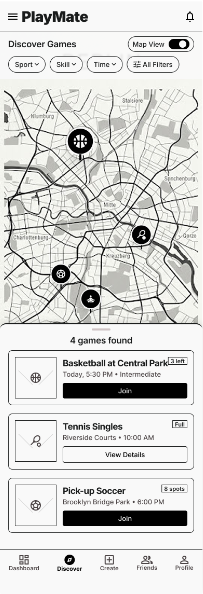
Newcomers play more regularly when they feel committed to a group, yet hesitate because they don’t trust strangers. A map-based game room removes more friction than any group chat.
03
Scattered chats become structured game rooms: profiles double as reputations, logistics run themselves, and a no-show penalty keeps everyone accountable.
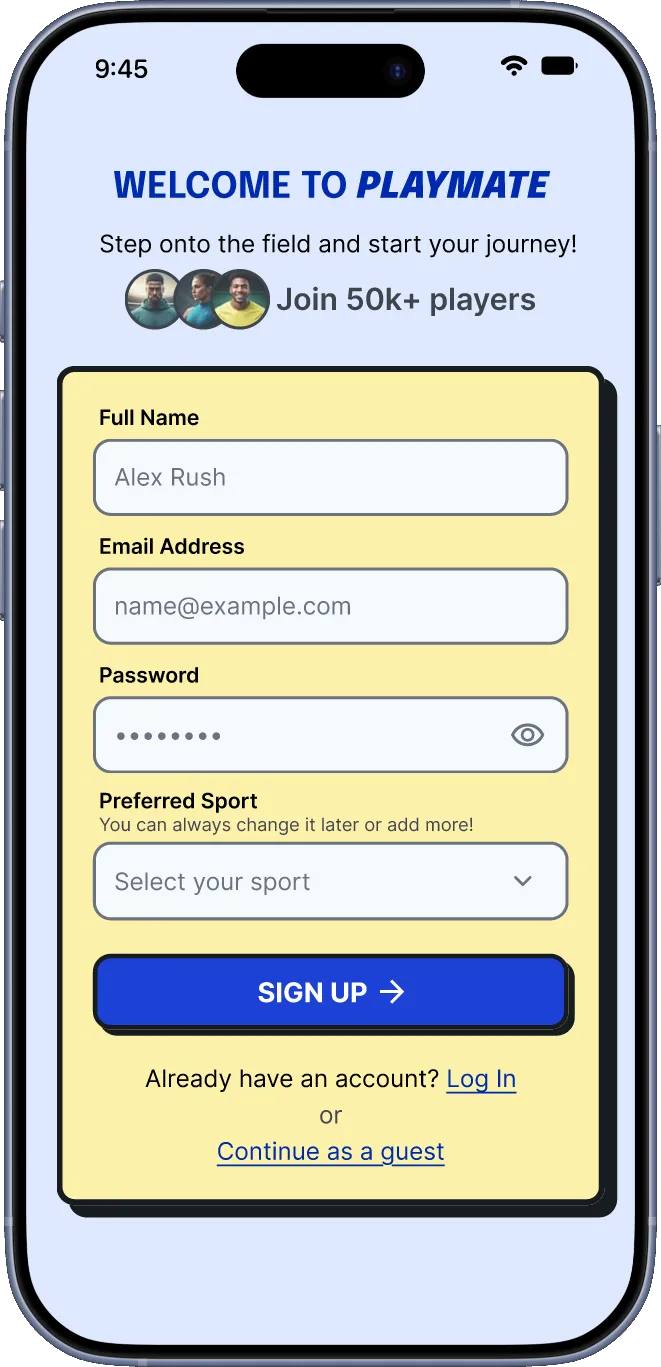
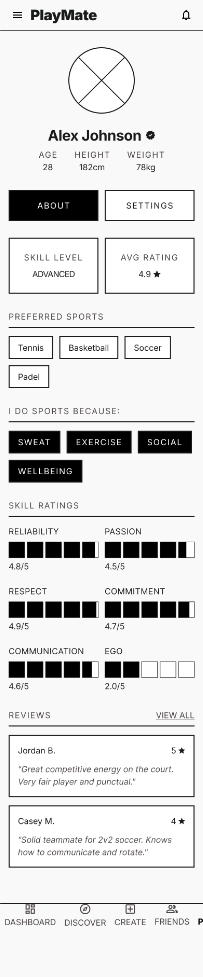
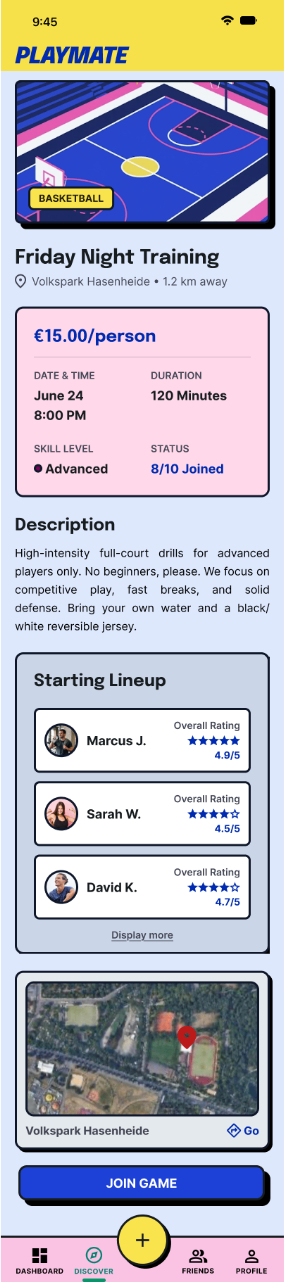
Pick your sports, set a skill level and say how you play. The profile is your reputation: reliability score and peer reviews build over time.
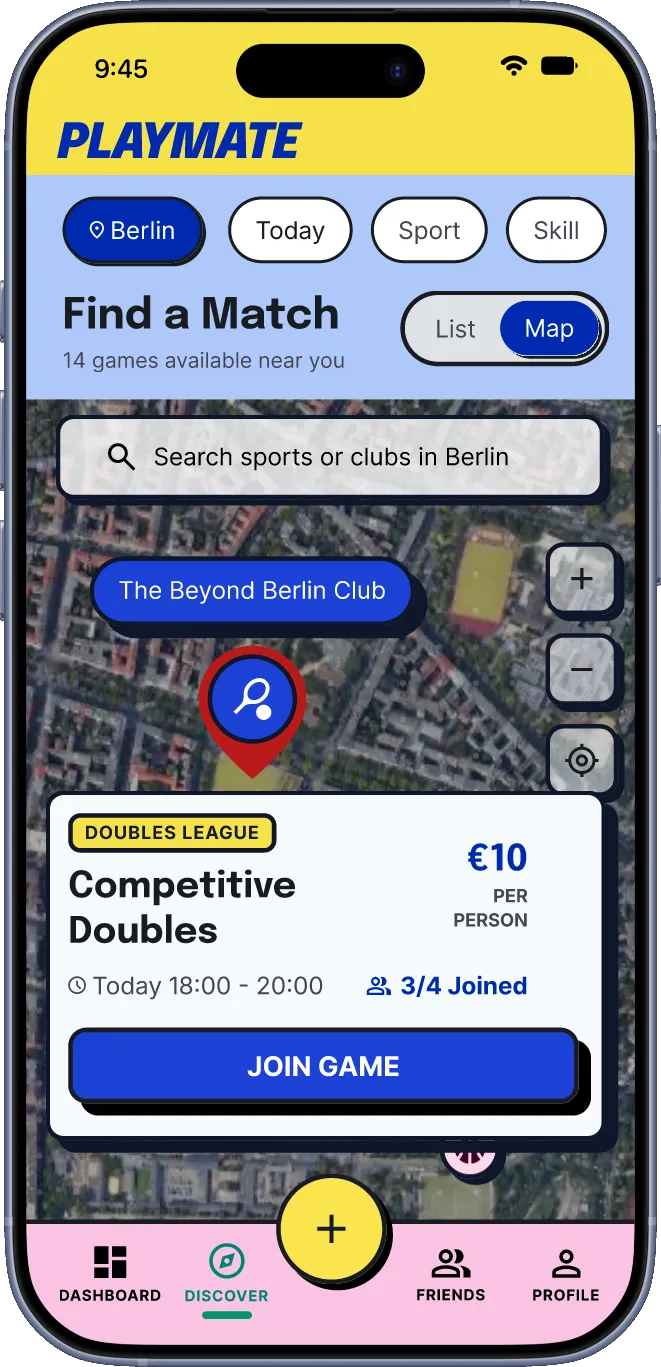
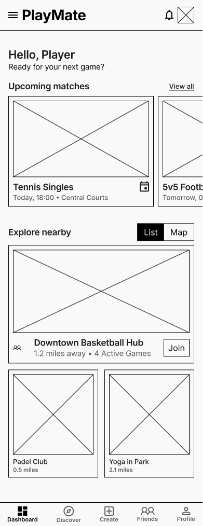
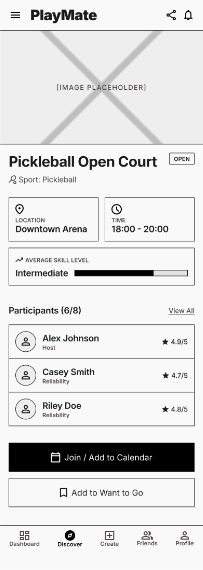
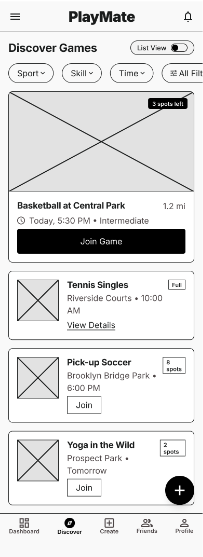
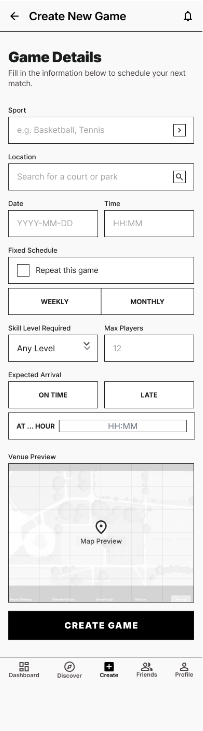
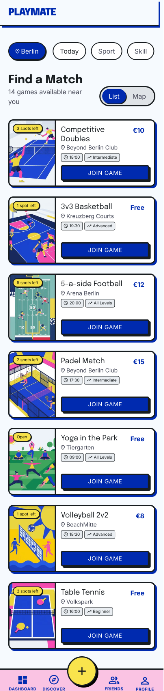
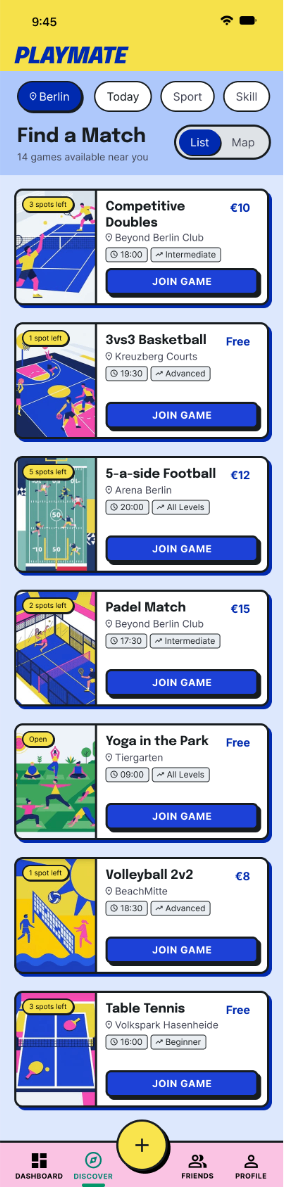
Browse open game rooms nearby by sport, level, time and cost. Join in one tap, or create a session. Scheduling, cost-splitting and waitlists run automatically.
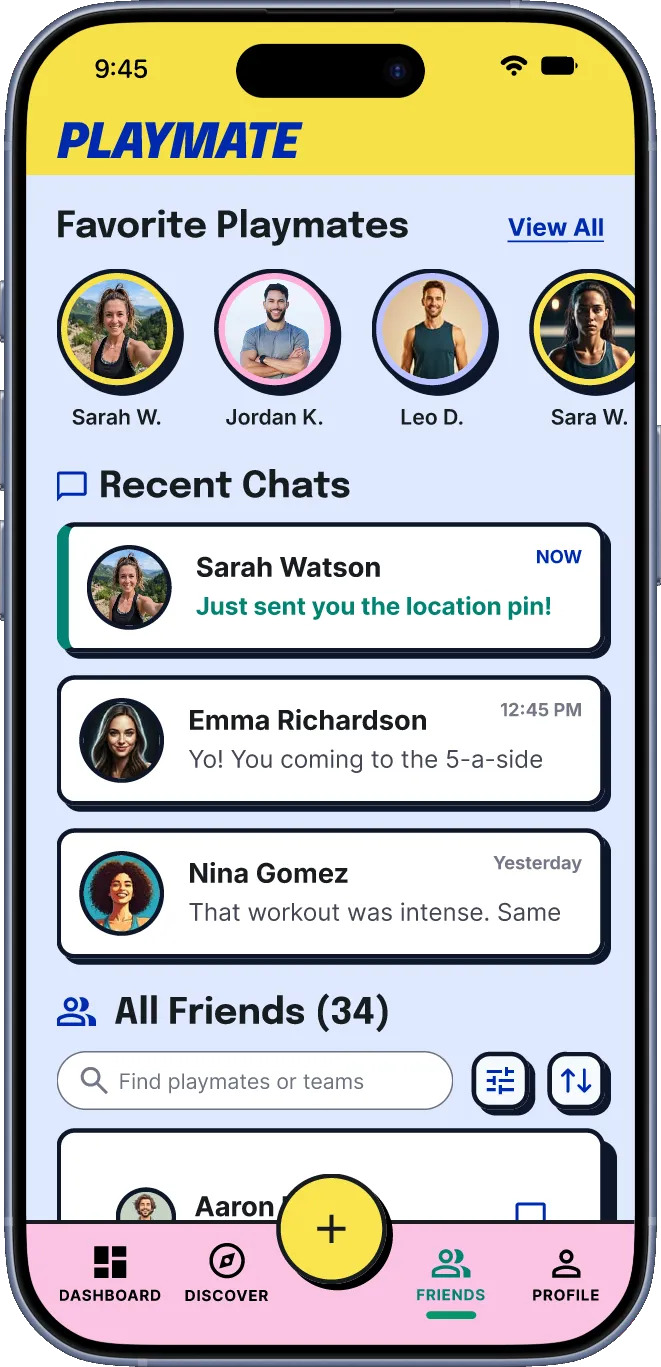
After the game, rate teammates on reliability, passion, respect and communication. The better you show up, the easier it gets into the next game.
04
A vibrant neo-brutalist look for an energetic, community-driven product.
High contrast, thick black strokes and zero-blur drop shadows for a retro pop-art feel.
Gamified interactions and playful isometric illustrations keep the energy up.
Modular cards for fast scanning and a clear visual hierarchy.
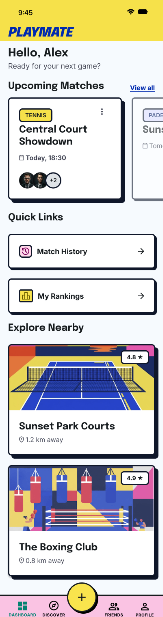
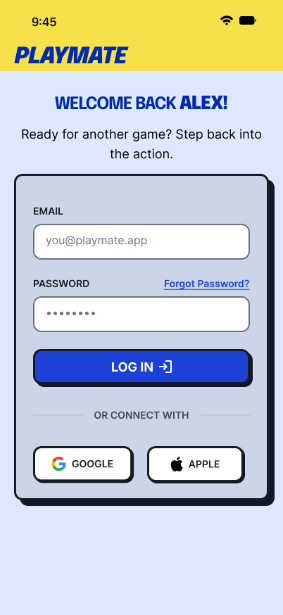
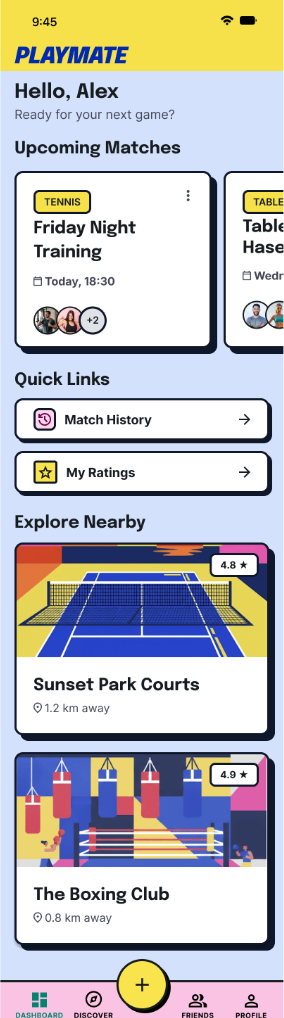
Welcome back, Alex!
700 · 800 · 900 — app name, screen headings, section titles
Sunset Park Courts · Sat 7pm · 6 players joined
400 · 500 · 600 · 700 — body, buttons, labels, captions


05
Findings were clustered after every round and fed straight into the next build. Here are the four strongest signals from each.
7 findings and what I changed
Didn’t know when or how to rate teammates after a game
The rating screen now opens automatically when a game ends
Cost-splitting was unclear before joining a paid game
Costs split automatically and show up front; cash or PayPal
Missed the Create action in the tab bar
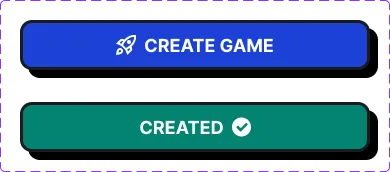
Create button enlarged and raised above the bar
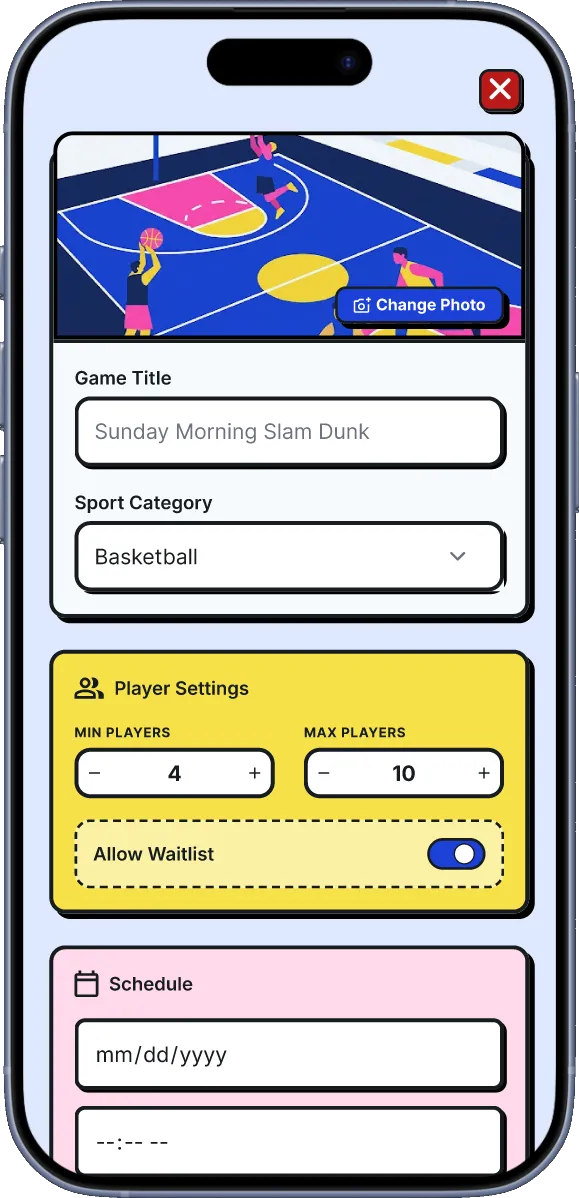
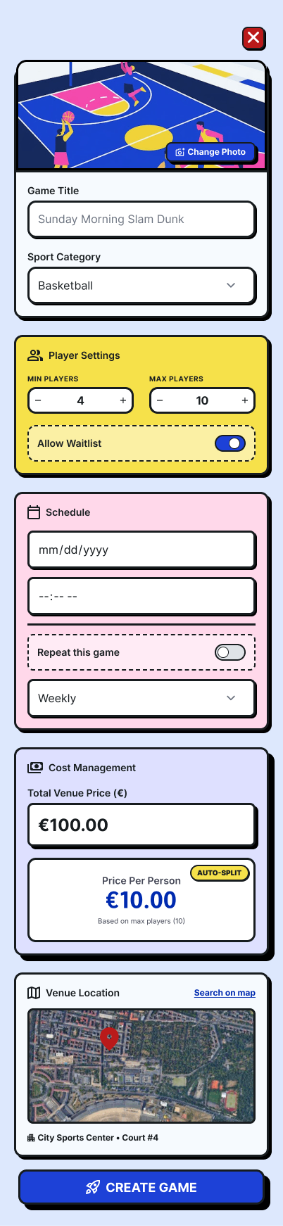
Unclear whether a game needed a minimum headcount
Creators can set a minimum and maximum player count
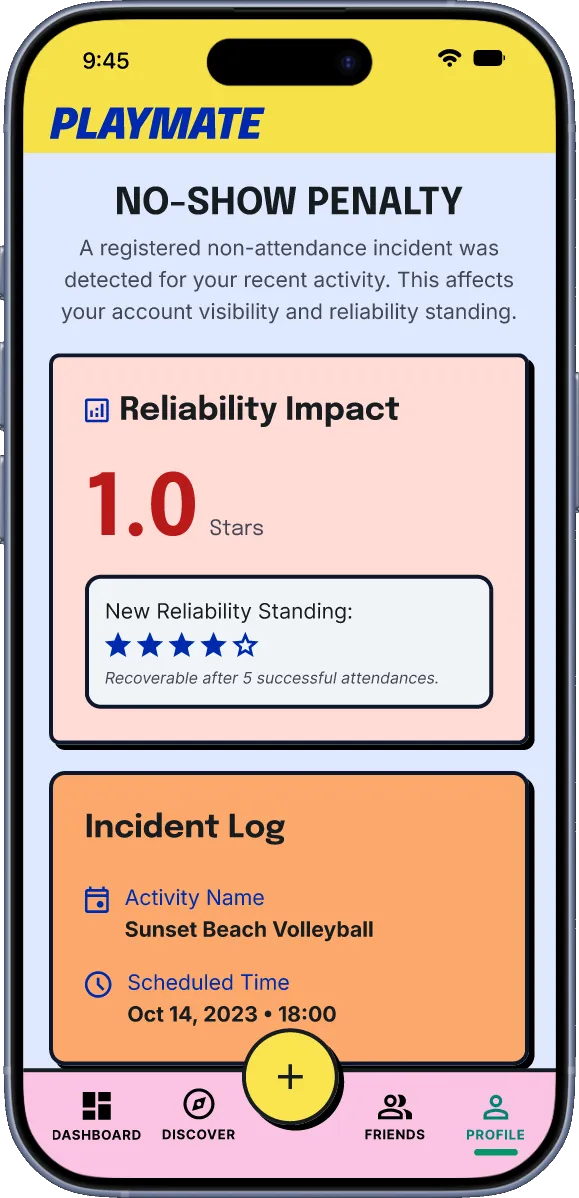
Expected some consequence for a no-show
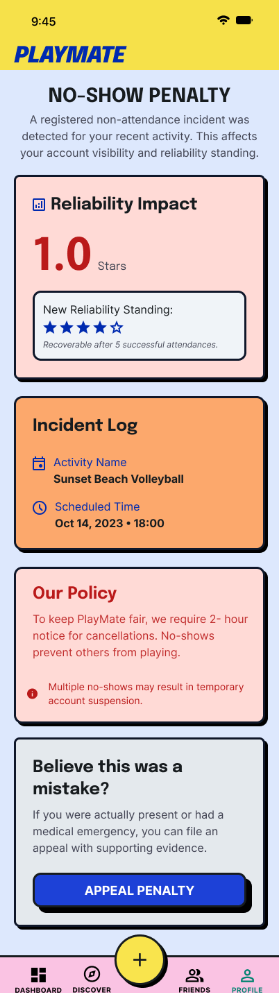
Automatic 1-star reliability penalty, shown on the profile
Wanted to book the venue, not just see its name
Tapping a venue opens its own booking app
Asked for a back-up plan for last-minute cancellations
Waitlist added; extra players fill cancellations automatically
The loudest signal of round one: nobody had a clear moment to rate a teammate, so the rating screen now finds the player.
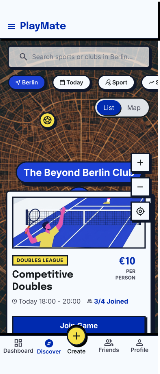
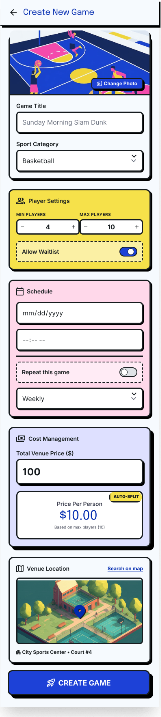
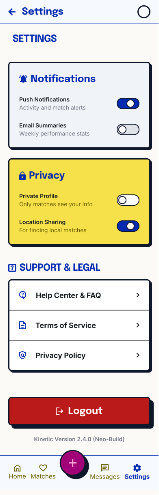
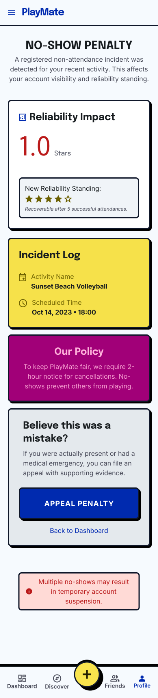



11 findings and what I changed
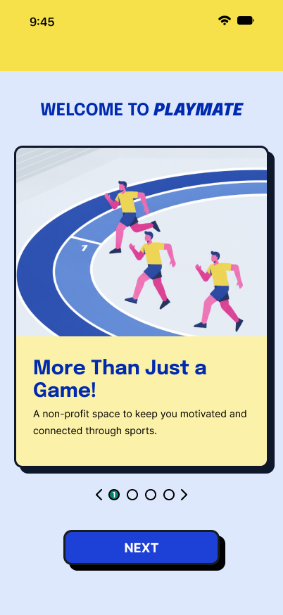
Landed on Home with no first-time context
Onboarding flow designed and added
Cards blended into the background
Contrast between cards and background increased
The map scrolled away with the list
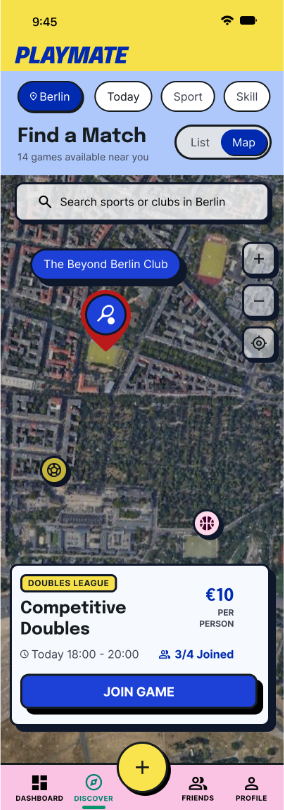
Map stays fixed while the list scrolls
Couldn’t find where a no-show would appear
Clear entry point added; incident log recoloured from yellow to red
Map pins were hard to read at a glance
Pins redrawn for readability
Wanted actions when tapping another player
Add friend, message and invite in one menu
Button sizes were inconsistent
Button heights standardised across the app
The hot pink read as visual noise
Palette reduced for consistency
Square corners felt dated and off-brand
Rounded corners across components
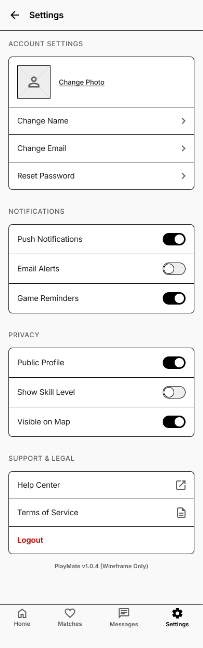
Expected Settings inside Profile
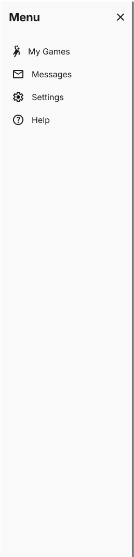
Settings moved into a profile overlay
Confused by “Shooter”-style position tags
Position tags removed from player cards
People dropped into Home with zero context. A first-time flow wasn’t optional; it led round three.
11 findings and what I changed
Bright background caused visible eye strain
Background toned down across all screens
Couldn’t tell past games from active ones
Past game cards restyled in greyscale
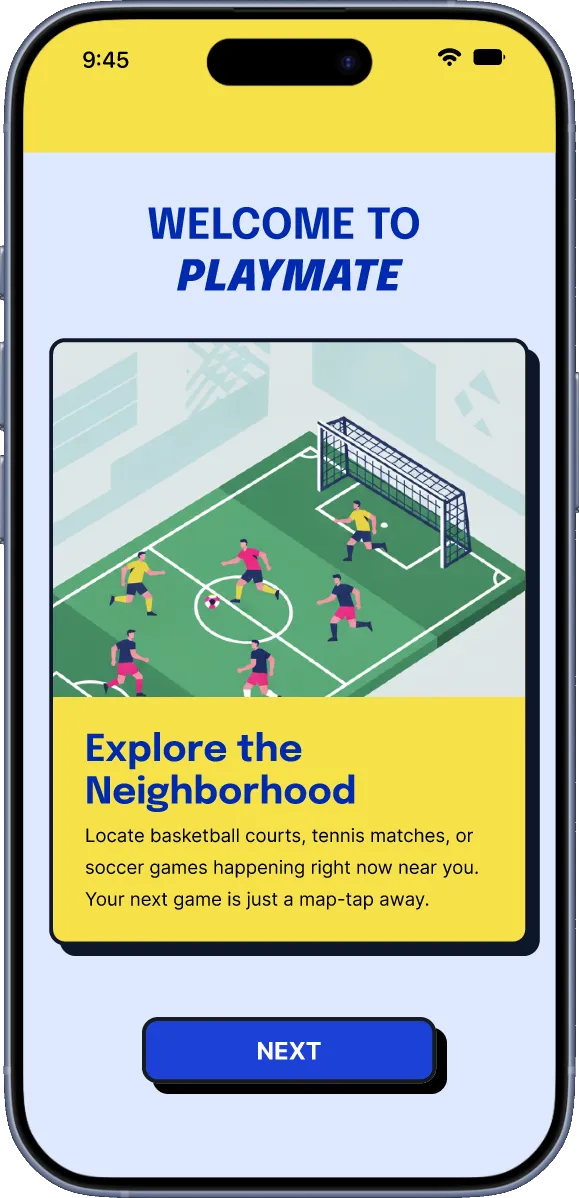
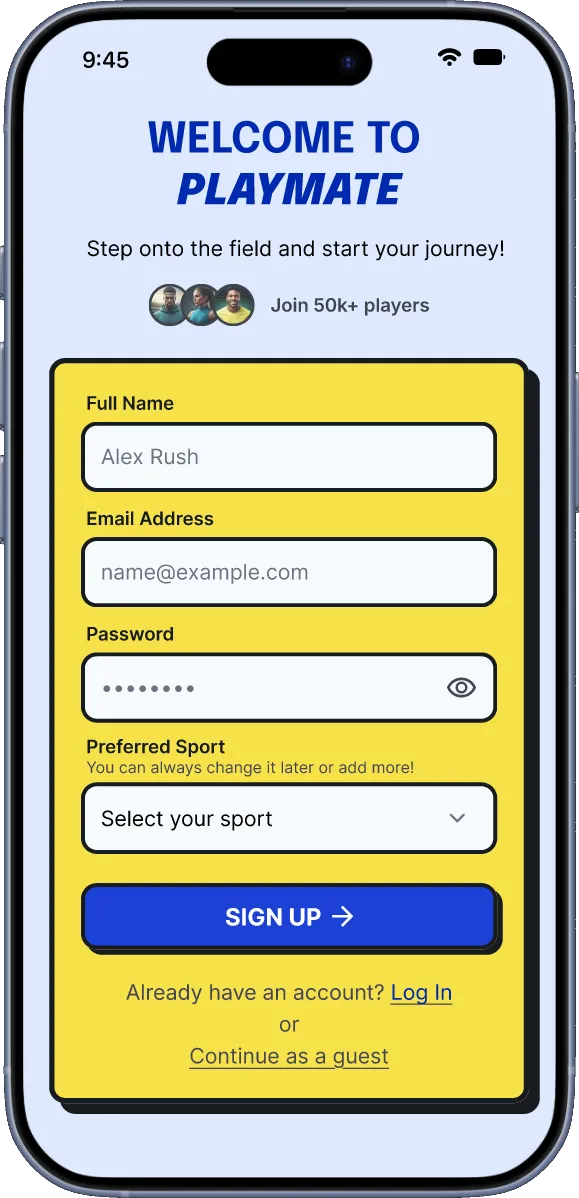
Wanted to try the app before signing up
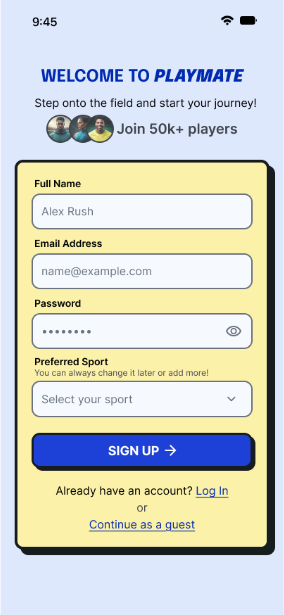
“Continue as guest” added to onboarding
Create Game felt like a jarring full-page jump
Create Game now opens as an overlay
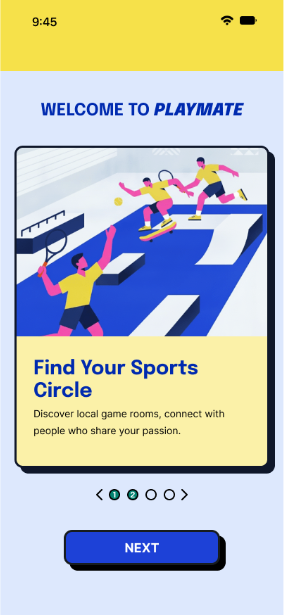
Couldn’t go back to a previous onboarding step
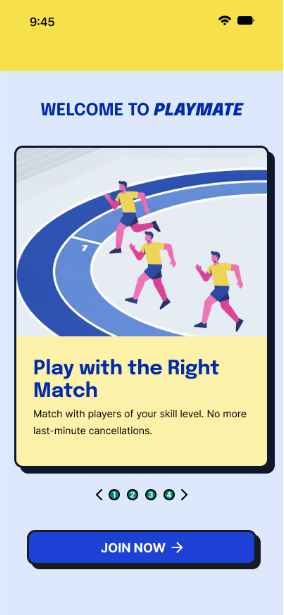
Circular pagination to move freely between steps
The “Welcome” text felt repetitive and oversized
Welcome text scaled down
Missed the social-proof number on sign-up
Social-proof number enlarged
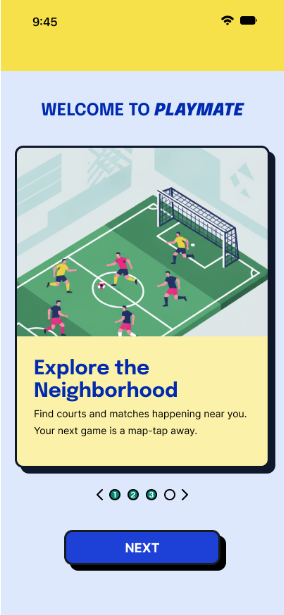
Scanned onboarding copy without reading it
Copy cut to short, slogan-style lines
Bright yellow was tiring over a longer session
After a colour-accessibility test, the yellow was softened
Assumed an empty input was already active
Inactive inputs now use a very light grey stroke
Grouped “Past Games” with the wrong card
Spacing corrected so Past Games sits with its section
People asked to try the app before signing up. Sign-up was blocking discovery, so guests can now look around first.
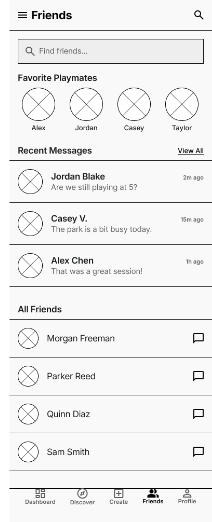
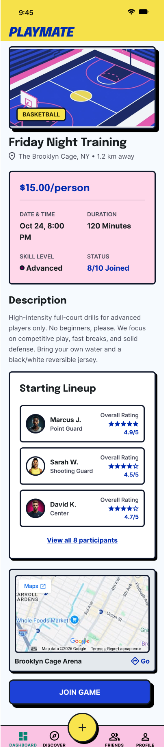
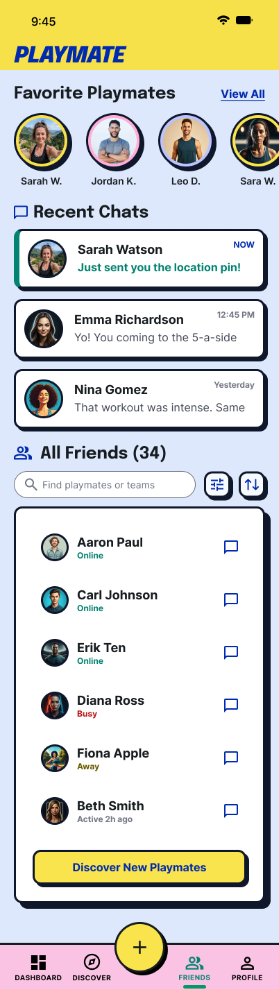
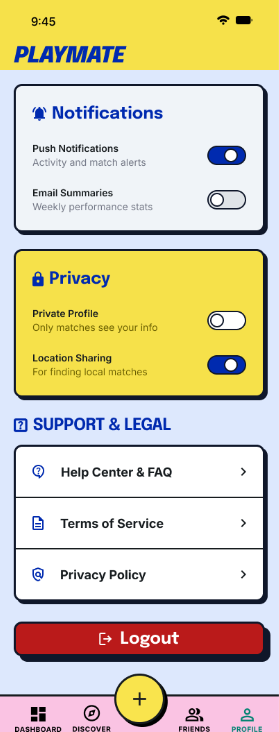
The last round paired task-based testing with a structured heuristic review across four themes. These are the final screens.
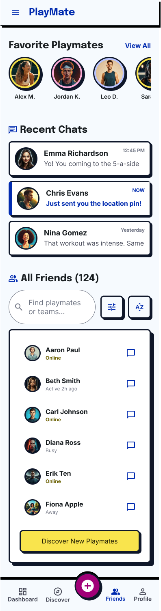
Onboarding
Home and game flow
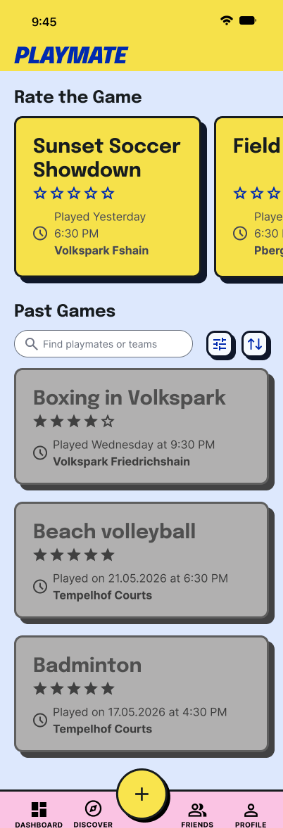
Friends, ratings and profile



06
07
The test rounds fixed the biggest blockers. Three smaller signals kept coming back; each deserves its own sprint.
Lost track of past games once the unrated list grew
Explore filters, “rate later” swipes and a completion badge, then track task success as the list grows.
Called the scroll cue “webby”, not native
Swap the custom indicator for iOS patterns like peeking cards or pagination dots.
Questioned why the logo took space on Home
Test a header that collapses on scroll and measure how people rate the extra room.
PlayMate answers three human problems: finding the right partner, coordinating without chaos, and trusting a stranger before the game.
The result makes playing feel like playing again.